
By LocalAds.ie Editorial Team · Irish Marketplace Guides
Buying a Second-Hand iPhone in Ireland: A Buyer’s Checklist
Verify ownership, Activation Lock, model, battery, repairs, network status and every important function before buying a second-hand iPhone in Ireland.
Published 7 September 2026 · Reviewed 7 September 2026 · 13 min read
A second-hand iPhone can be good value when its identity, ownership and condition are verifiable. The greatest risks are not always the visible scratches: an Activation Lock, blocked network identifier, failing battery, unsupported model or poorly completed repair can matter far more. Arrange enough time to test the phone with the seller present, then complete the account-removal and erase process before paying.
Choose the model you actually need
Decide the minimum storage, screen size, camera features, mobile-network support, charging connection and software lifetime you need. Check the exact model against Apple’s current specifications and software-support information rather than assuming every phone with a similar name has the same features. Consider whether your existing SIM, eSIM, accessories, hearing devices and work applications are compatible.
Storage cannot be expanded later, and usable free space is lower than the advertised capacity after the operating system and apps. A higher-capacity older model may be less useful than a supported newer model with adequate storage. Compare like-for-like Irish prices in EUR only after deciding the precise model and capacity.
Ask for identifying information safely
Before meeting, request the model name, storage, colour, approximate purchase date, network-lock status, repair history and reason for sale. Ask whether the seller has purchase evidence and whether the phone is fully paid for. Do not ask them to publish an IMEI, serial number, receipt address or other sensitive identifier in the advert. Inspect those details in person and keep only the records legitimately needed for the transaction.
Questions to ask before travelling
- Did you buy the phone new, used or refurbished?
- Is it fully paid for and owned by you?
- Has it ever been lost, stolen, blocked, insured as lost or replaced through a claim?
- Is it locked to a mobile network or subject to an organisation’s management?
- What repairs or parts replacements has it had?
- What battery-health information does the phone currently show?
- Which faults, warnings or intermittent problems should I know about?
Meet where you can test safely
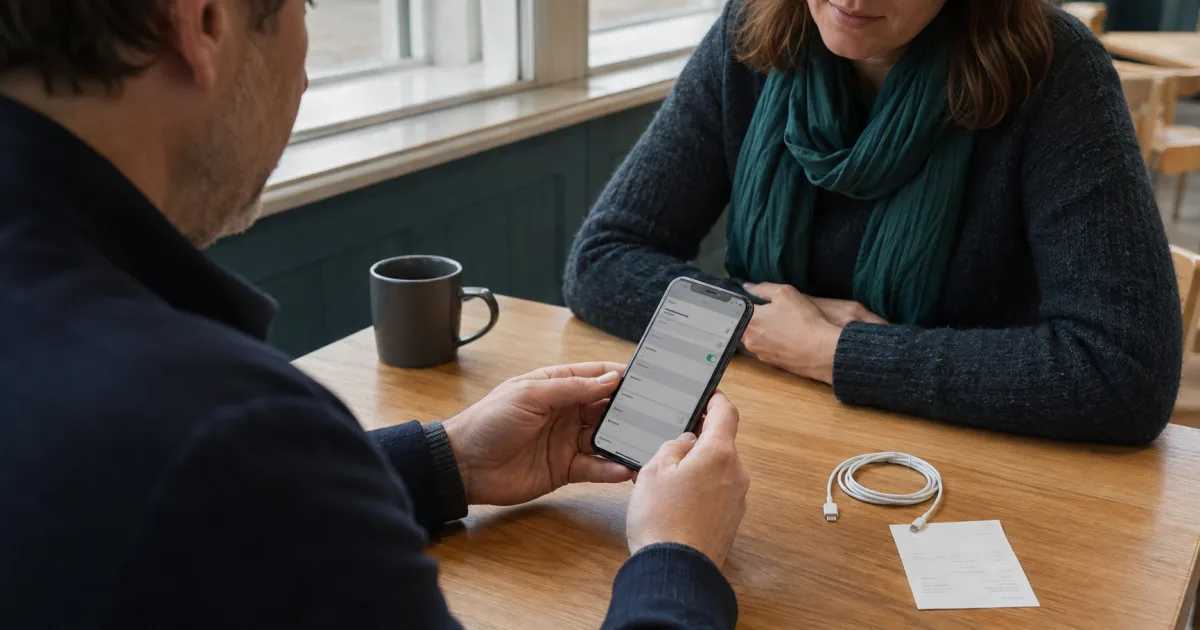
Choose a well-lit public location with reliable mobile and Wi-Fi coverage, seating and enough time. Tell somebody where you are going and avoid carrying more cash than necessary. A mobile-network shop may be useful if the relevant provider agrees to help verify compatibility or lock status, but confirm that service in advance. Do not let a rushed roadside handover replace a proper inspection.
Ask the seller to charge the phone but not erase it before the meeting, because many condition checks are easier while they can unlock it and open Settings. The seller should protect their private content, and you should never browse messages, photographs or accounts unrelated to the test. Agree that they will erase the phone only after functional checks are complete.
Match the phone to the advert
In Settings, compare the model name and capacity with the listing and physical design. Check that relevant device identifiers are consistent with the hardware, original box and purchase documentation where available. A box is supporting evidence, not proof: boxes can be mixed up. Be cautious if labels are damaged, identifiers conflict or the seller will not explain ownership.
Check the physical condition
Inspect under good light
- Front and rear glass for cracks, chips, deep scratches and lifting edges.
- Frame and corners for bends, impact marks or gaps between components.
- Camera lenses and surrounds for cracks, fogging, dust or movement.
- Buttons, mute or action control and SIM tray where present.
- Charging port for damage or compacted debris without inserting metal tools.
- Speaker and microphone openings for blockage or damage.
- Case separation, swelling, unusual heat or chemical odour.
Remove the case with permission. A case can hide impact damage or lifting caused by a swollen battery. Do not buy or continue charging a phone that is swollen, separating or unusually hot. Cosmetic wear can be priced; structural damage and battery safety need a competent assessment. Do not assume any used or repaired phone retains its original water resistance.
Test the display and touch surface
View plain light and dark backgrounds at several brightness levels. Look for dead pixels, discolouration, image persistence, flicker, bright spots and uneven response. Drag an icon or use a drawing surface across the whole display to look for touch dead zones, then test multi-touch with an ordinary gesture. Check automatic brightness and screen rotation where available.
Inspect the bezel fit and ask whether the display was replaced. Colour features or warnings may change after repair, but one missing feature is not a complete diagnosis. Use Parts and Service History and the seller’s repair documentation together, then test what matters to you directly.
Review Parts and Service History
On supported models and software versions, Apple provides Parts and Service History under Settings, General, About when a relevant repair has occurred. Apple explains that entries can identify Genuine, Used, Unknown or Unverified parts, depending on model, component and repair status. Read the current Apple explanation for each message rather than treating every replacement part as equivalent.
Ask which shop or technician completed the work, when it happened and whether an invoice or repair warranty remains. Test repaired functions closely. A screen, battery or camera replacement can be perfectly usable, but incomplete calibration, an unknown part, poor fit or a recurring warning affects price and confidence. Parts history may show only supported components and, according to Apple, only the most recent service when a part was serviced more than once.
Check battery condition
Open the phone’s supported battery-health information and note maximum capacity, performance messages and any service recommendation. Treat the reading as evidence, not a prediction of exact hours. Battery life also depends on signal, brightness, apps, temperature and workload. Ask whether the battery is original or replaced and compare that answer with Parts and Service History where available.
Use the phone for long enough to notice rapid percentage drops, unexpected shutdown, charging interruption or unusual heat. A high displayed charge does not prove strong capacity. Price a possible battery service using current reputable options and confirm whether any seller warranty treats the battery separately.
Test charging and connections
Use a known-safe compatible cable and power source. Confirm that the connector sits normally and charging continues when the phone rests in an ordinary position; do not force or wiggle it aggressively. Test wireless charging only if the model supports it and the equipment is trustworthy. Inspect the supplied cable and adapter separately for damage, overheating or doubtful authenticity.
Test cameras, sound and sensors
- Photograph a detailed subject with every rear camera option and the front camera.
- Focus near and far, record a short video and inspect image and audio playback.
- Make an agreed test call to check earpiece, microphones, loudspeaker and proximity behaviour.
- Test Face ID or Touch ID without enrolling your own identity before purchase.
- Check buttons, vibration, flash, rotation, compass or location only where relevant.
- Connect briefly to trusted Wi-Fi and a Bluetooth accessory, then forget or remove them.
- Test mobile voice and data with a compatible SIM or eSIM arrangement where practical.
Use built-in functions and ordinary real-world tasks rather than unknown diagnostic apps supplied by a stranger. A single successful photograph does not prove every lens, and a Wi-Fi connection does not prove cellular service. If an important feature cannot be tested, record that limitation and price the phone as unverified for that function.
Confirm network status
Ask the seller which Irish or other network supplied the phone and whether it is unlocked. Check the current lock-status information shown by the device where available, then test with the service you plan to use. Contact the relevant mobile provider through its official channel if finance, blocking or unlock eligibility is uncertain. No informal checker can guarantee that a phone will never be blocked after a later loss or insurance report.
Be especially cautious when the seller lacks credible ownership evidence, the price is far below comparable listings, the identifier is unavailable or stories about loss and replacement change. Do not buy a device you suspect is stolen. Keep a receipt recording the date, price, model and seller identity appropriate to the transaction without publishing sensitive identifiers.
Check software and management
Confirm the installed iOS version and whether the exact model remains eligible for the security and app support you need. Look for unexpected organisation-management messages or profiles and ask the seller to resolve them through the owning organisation. A factory reset may not remove legitimate remote management. Do not rely on jailbreaking or unsupported workarounds to make a locked or managed phone usable.
Activation Lock is a mandatory check
Apple advises buyers not to take ownership of a used iPhone protected by Activation Lock. After testing, the seller should follow Apple’s current process to sign out, turn off the relevant Find My protection and erase the phone. Watch the process without asking for or seeing their password. A seller should enter credentials privately.
Start the setup process with the seller present. If the phone asks for the previous owner’s Apple Account information or shows that it is locked to the owner, hand it back and do not pay. Apple states that the Hello screen indicates the phone has been erased, but continue far enough through the supported setup flow to establish that it no longer requests the previous owner. Do not add sensitive personal data until the transaction is settled.
Safe handover order
- Inspect identity, physical condition, battery, repairs and functions while the seller can unlock the phone.
- Agree the final EUR price and included accessories.
- Seller backs up anything needed and removes accounts through Apple’s official process.
- Seller erases the phone completely.
- Buyer begins setup and confirms no previous-owner credential is requested.
- Buyer verifies cleared payment with the chosen method and receives a receipt.
- Buyer completes personal setup privately after the seller has left.
Private seller or business?
The CCPC explains that second-hand goods bought from an Irish business carry consumer-law protections, allowing for faults and wear disclosed before purchase. A private consumer-to-consumer sale does not carry the same protections and is generally buyer beware. A commercial seller cannot lawfully disguise a business sale as private. Check the seller status, especially where an account regularly offers many refurbished phones.
For a business purchase, record the legal seller, contact details, total price, grade, battery promise, warranty, delivery and return terms. A short commercial warranty does not replace statutory consumer rights. For a private purchase, inspection, ownership evidence and a clear written record carry even more weight because the same business remedies do not apply.
Compare the complete cost
Compare the exact model, capacity, network status, cosmetic condition, battery, repair history and accessories. Add likely battery or screen service and the cost of a trustworthy charger. Compare with a refurbished business offer that includes defined tests and after-sales terms, and with the current price of a supported new alternative. The cheapest advert is not the lowest-cost phone if a major repair is already due.
Payment warning signs
- A deposit is demanded before inspection because other buyers supposedly exist.
- The seller refuses an ordinary public meeting or functional test.
- Payment moves to gift cards, cryptocurrency or an unrelated courier page.
- A link asks for banking login details, card PIN or one-time security codes.
- The price, model or ownership story changes during the conversation.
- The seller will post the phone but cannot provide business identity or meaningful buyer protection.
Final second-hand iPhone checklist
- Exact model, capacity, software support and required network compatibility are confirmed.
- Seller ownership and device identifiers are credible and consistent.
- Frame, glass, cameras, ports and battery show no dangerous damage.
- Display, touch, buttons, sound, cameras, sensors, charging and connections are tested.
- Battery Health and Parts and Service History are reviewed where supported.
- Network lock, blocking risk and organisational management are addressed.
- Seller status, price, accessories, faults and terms are recorded.
- Activation Lock is removed and setup no longer requests the previous owner before payment.
The best used iPhone is not necessarily the newest one in the cleanest case. It is the phone whose ownership, model, battery, repairs, network status and functions can be verified—and which becomes fully activatable by you before money changes hands. A patient twenty-minute inspection is cheaper than discovering an account lock or failing component after the seller disappears.
Tags
More from
New related stories are added frequently.