
By LocalAds.ie Editorial Team · Irish Marketplace Guides
Buying a Used Games Console: Checks for PlayStation, Xbox and Switch
Check a used PlayStation, Xbox or Nintendo Switch console, controller, storage, account status and accessories before paying in Ireland.
Published 7 September 2026 · Reviewed 7 September 2026 · 14 min read
A used console can provide years of good value, but a five-minute menu demonstration is not enough. Similar-looking PlayStation, Xbox and Nintendo Switch models can differ in storage, disc support, performance and included accessories. Controller wear, overheating, account restrictions and missing proprietary parts can also erase an apparent saving. Identify the exact model, test it under normal play and confirm a clean reset before paying.
Choose the console version, not just the family
Decide which games, display resolution, disc format, storage and portable features matter to you. Within one console family there may be digital-only and disc editions, different storage capacities, revised hardware, portable-only variants or models with different screens and battery characteristics. Check the manufacturer’s current specification for the exact model code rather than assuming a familiar product name proves the features.
Define what you need before searching
- Physical discs, digital downloads or both.
- Current-generation games, older compatible titles or a particular exclusive.
- Television play, handheld play, local multiplayer or remote features.
- Usable internal storage and supported expansion method.
- Number and type of controllers needed from day one.
- Required video, audio, network and accessibility features.
- Remaining manufacturer support and online-service availability.
Digital games normally belong to the purchaser’s platform account, not permanently to the plastic console. Do not add supposed downloadable libraries, a seller’s account or ‘home console’ sharing arrangements to the value unless the platform’s current terms clearly permit a legitimate transfer—which ordinary personal accounts generally do not provide. Price the hardware and physical items you will actually own.
Ask for the full model and ownership history
Before travelling, request the complete model or product code, storage size, approximate purchase date, repair history, reason for sale and list of included accessories. Ask whether the console has been reported lost, stolen, replaced through insurance, restricted from online services or managed through a family account. Purchase evidence helps, but it must correspond to the console.
Questions for the seller
- Did you buy the console new, used or refurbished?
- Is it fully owned and free of finance, rental or insurance restrictions?
- Has it been opened, modified, dropped, exposed to liquid or repaired?
- Does it connect to the platform’s online service normally?
- Does every included controller work wired and wirelessly where supported?
- Which cables, stands, docks, storage devices and physical games are included?
- Are parental controls, passcodes and organisation or family restrictions removable?
Do not ask a seller to publish a full serial number or receipt containing an address. Inspect those details in person and record only what is reasonably needed for a receipt. Walk away if identifiers are removed or altered, the ownership explanation changes or the seller wants to provide account credentials instead of legitimately removing their account.
Meet where a complete test is possible
A television console needs a compatible display, power, internet connection and twenty to thirty minutes. A handheld also needs its dock and television connection tested if those are part of the package. Meet at a safe location where this is practical, tell someone about the arrangement and keep the console in sight. A rushed car-park handover cannot prove a disc drive, HDMI output or sustained cooling.
Ask the seller not to factory-reset the console before the meeting. Their signed-in state can help show storage, system version, network connection, controller status and parental-control settings, although you should never browse private messages, captures or payment information. Test first; the seller should then back up what they need and perform the official reset before final payment.
Match the hardware to the advert
Compare the model information in system settings with the chassis label and manufacturer specifications. Confirm storage capacity, disc-drive presence, screen type where relevant and any claimed hardware revision. Check that the serial area is intact and consistent with the box or purchase evidence if supplied. A box is supporting evidence, not proof, because boxes and accessories can be mixed.
Inspect the case, ports and ventilation
Power the console down and inspect every side under good light. Look for cracks, bent casing, impact marks, missing feet, absent screws, broken seals, corrosion and gaps around panels. Check ventilation openings for compacted dust without pushing anything inside. Heavy dust is not merely cosmetic when it restricts airflow, and signs of liquid or burnt plastic require competent assessment.
Check every connection you will use
- Power inlet and the correctly rated power supply or cable.
- HDMI or other supported display output.
- Each USB port rather than one representative socket.
- Network port and Wi-Fi connection.
- Headset or controller audio route where relevant.
- Storage expansion slot or bay and any claimed expansion device.
- Switch dock connector, rails and charging port where applicable.
Connect and disconnect cables normally; do not force or aggressively wiggle a port. The picture and power should remain stable. Inspect plugs and adapters for scorching, fraying, exposed conductors or doubtful substitutions. A connector that physically fits may not have the correct electrical rating or platform support, so check the model markings against official documentation.
Start from fully off, not only rest mode
Ask the seller to shut the console down completely, wait briefly and start it from cold. Observe unusual delays, repeated repair screens, error messages, grinding or immediate fan noise. Confirm that buttons, status lights and wireless controllers reconnect. Then install or open an already installed legitimate game and play long enough for the console to warm up.
A console that reaches the home screen can still fail under sustained graphics load. Play a demanding section for at least ten to fifteen minutes where time permits. Watch for picture breakup, freezing, sudden shutdown, severe slowdown, network disconnection and overheating warnings. Fans will become audible, but harsh rattling, scraping or a console that cannot remain stable is not normal evidence of a healthy sale.
Test the disc drive with more than insertion
For a disc model, use a clean compatible game disc and, if advertised, another supported media type. Confirm smooth insertion and ejection, recognition, installation or data reading and actual gameplay. A disc icon appearing is not proof that the drive can read sustained data. Sony’s own troubleshooting guidance for PS5 disc problems includes trying another game, Blu-ray or DVD, which illustrates why one disc is weak evidence.
Listen for repeated seeking, clicking or severe vibration and inspect the disc after ejection. Do not test with scratched, burned or unsupported media and then blame the drive. Confirm that a digital-only edition has not been described or priced as a disc model.
Test every controller separately
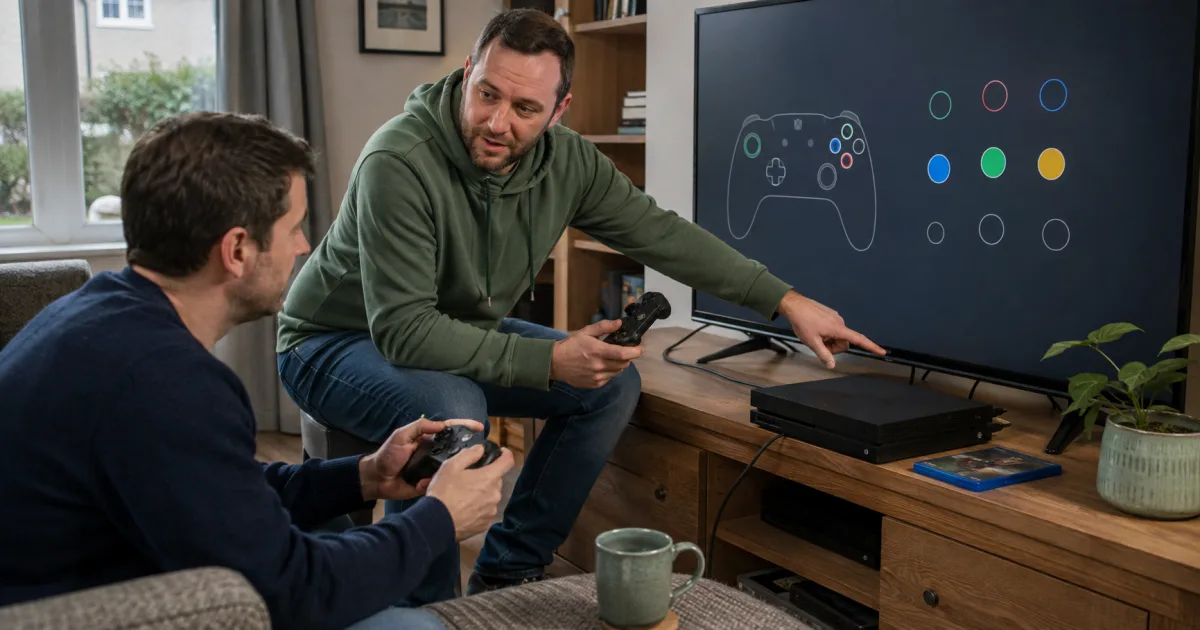
Open the platform’s own input, calibration or ordinary game screen. Test every button, trigger, bumper, directional input, stick click, motion function, vibration, speaker, microphone, headset socket and touch surface that the controller supports. Move both sticks slowly through their full range, then release them and watch for movement without input. Test wired connection, wireless pairing and charging.
Controller warning signs
- A character, cursor or camera moves after the stick is released.
- Buttons register twice, intermittently or only with excessive force.
- Triggers feel uneven or do not reach their full range.
- The controller disconnects, will not pair or will not charge normally.
- Battery life drops sharply during a reasonable test.
- Rails, ports, grips or battery covers are loose or cracked.
- Custom button mapping disguises a faulty input.
For Nintendo Switch Joy-Con, test them attached, detached and wirelessly, inspect both rails and confirm that each is recognised correctly. Nintendo’s support guidance specifically addresses incorrect control-stick response and recommends calibration with standard input mapping. On a Switch Lite, the built-in controls cannot simply be swapped like detachable Joy-Con, so repair risk deserves more weight.
Check Switch handheld and docked operation
Inspect the screen with plain light and dark backgrounds for scratches, discolouration, dead pixels, image retention and touch dead zones. Test brightness, speakers, game-card slot, microSD recognition, headphone output, Wi-Fi, kickstand and charging. Let the battery run unplugged for part of the test and watch for abrupt drops or unusual heat rather than accepting a percentage as proof of capacity.
If a dock is included, inspect its connector and ports, seat the console normally and confirm stable television output, charging and USB operation. Check that the power adapter is the correct supported model. Different Switch revisions can have different battery characteristics; verify the console’s identity from its system and model information instead of colour or packaging alone.
Verify storage rather than trusting the headline number
Open storage settings and distinguish built-in capacity from usable free space and removable expansion. Confirm that an advertised PlayStation M.2 SSD, Xbox expansion card, external drive or Switch microSD card is physically present, recognised and included in the price. Ask who installed internal storage and whether any required heatsink, cover or mounting hardware is correct.
Open a game stored on the relevant device and copy or move data using the platform’s supported tools when practical. Intermittent disconnection, corruption messages or very slow recognition may indicate a fault. If the seller plans to keep an added drive or memory card, remove its value and capacity from your comparison.
Check network access and system updates
Connect through your own hotspot or a trusted network and check for an official system update without changing the seller’s account. Confirm that the console reaches its legitimate online service and is not presenting an unexplained suspension or restriction. No brief check can guarantee future account or hardware status, so ownership evidence and a consistent seller history still matter.
Do not buy a modified console on the assumption that unofficial software, copied games or online workarounds are transferable or safe. Platform terms, online access, repair eligibility and security may be affected. Use only official update files and processes; PlayStation explicitly warns against system software obtained or installed through unofficial methods.
Accounts and digital games are not the hardware
The seller should keep their PlayStation Network, Microsoft or Nintendo Account and its digital purchases. Do not accept a username, password or family-account position as part of the sale. Credentials can be recovered by the original owner, and sharing may expose payment methods, personal data and both users to platform enforcement. Buy physical games only when the correct disc or game card is present and inspect its condition.
Treat download codes as already used unless you can verify otherwise through a legitimate unopened product and platform process. A game installed on the console may stop working when the seller removes their account or changes its primary or home-console setting. List each physical game, controller and accessory separately on the receipt.
Remove parental controls and family restrictions
Ask the seller to remove any parental-control PIN, family restriction or companion-app connection through the platform’s official steps. Do not rely on a reset to bypass a forgotten credential. On Nintendo Switch, for example, the Parental Controls PIN is requested during the factory-restoration process. A seller who cannot manage the restriction may not have sufficient authority over the console.
Watch the official factory reset
After testing and agreeing the price, allow the seller time to back up supported save data, sync achievements or trophies and remove anything they intend to keep. PlayStation advises recording the serial number, removing discs and USB devices, backing up, transferring data and restoring factory settings before transfer. Restoring default settings alone is not enough because Sony states that it does not erase user or game data.
For Nintendo Switch, the seller should use Restore Factory Settings under Formatting Options. Nintendo explains that this deletes data in system memory and attempts to unlink associated Nintendo Accounts while leaving the accounts themselves intact. Xbox owners should follow the current official console-transfer and reset instructions, choose the full removal option intended for sale and remove the device from their account where directed.
When the reset completes, begin setup only far enough to confirm that the console no longer requests the seller’s credentials, parental-control PIN or organisation access. Do not add your own permanent account until payment is settled. If a required lock remains, return the console to the seller and do not pay on a promise that it can be fixed remotely later.
Check seller status and consumer rights
The CCPC explains that when an Irish business sells second-hand goods, consumer-law protections apply while taking account of faults and wear disclosed before purchase. A private consumer-to-consumer purchase is generally buyer beware. A trader cannot disguise commercial selling as a private sale, so check seller status when an account regularly offers repaired consoles or large quantities of stock.
For a business purchase, record the legal seller, grade, tests, repairs, warranty, included components, delivery and return terms. A commercial warranty does not replace statutory rights. In a private sale, careful testing, written answers and a receipt are especially important because the same business protections do not apply.
Calculate the complete price
Compare the exact edition, storage and condition in EUR. Add the cost of a genuine compatible controller, power supply, HDMI cable, dock, stand, storage expansion and any repair. Compare the bundle with current new and business-refurbished offers. An older console with four supposed digital games can be worse value than a clean bare console whose hardware and ownership are verifiable.
Payment warning signs
- A deposit is demanded before you can test a common console.
- The seller will not allow a cold start, game test or reset.
- Digital games or an account password form most of the claimed value.
- Serial markings are missing, damaged or inconsistent.
- Payment moves to gift cards, cryptocurrency or an unrelated courier page.
- A link requests banking credentials, card PINs or one-time codes.
- The meeting, model, accessories or ownership story changes unexpectedly.
Final used-console checklist
- Exact model, edition, storage and included physical items match the advert.
- Ownership, seller identity and serial information are credible.
- Case, vents, ports, cables and power supply show no unsafe damage.
- Cold start, sustained gameplay, video, audio, network and cooling are stable.
- Disc drive and every required storage device work under real use.
- Each controller passes stick, button, pairing, charging and battery checks.
- Switch handheld, dock, screen, rails and battery are tested where relevant.
- Parental controls, accounts and management restrictions are removed legitimately.
- An official full reset reaches a clean setup flow before verified payment.
The best used games console is not the bundle with the largest digital library claim. It is the exact model you need, with verifiable ownership, stable hardware, working controllers and physical accessories that survive a proper test—and which reaches a clean setup screen without the seller’s account. Test the complete system, price every missing part and pay only when the transfer is genuinely complete.
Tags
More from
New related stories are added frequently.