
By LocalAds.ie Editorial Team · Irish Marketplace Guides
How to Set Up a Home Office with Second-Hand Furniture
Build a comfortable, practical home workspace with used desks, office chairs and storage while checking fit, condition, ergonomics and value.
Published 7 September 2026 · Reviewed 7 September 2026 · 11 min read
A useful home office does not need to look like a furniture catalogue. It needs enough space for the work, a stable surface, a chair that adjusts to the user and lighting that does not create glare. Buying those pieces second-hand can stretch the budget, but only when dimensions, condition and collection costs are checked before payment. Start with the work you do, then choose furniture to support it.
Define the work before buying furniture
List what must happen at the workstation: laptop work, video calls, drawing, paperwork, confidential calls or equipment storage. Record the devices and accessories that need permanent space. A person using one laptop occasionally has different requirements from somebody working daily with two screens, a separate keyboard and paper files. Buy only after you know which activities the room must support.
A simple home-office plan
- Essential equipment and the surface area each item needs.
- Hours spent at the desk and whether the workstation is used by more than one person.
- Available sockets, daylight, heating, ventilation and internet signal.
- Storage that must be lockable or kept away from children.
- Maximum furniture dimensions and a realistic collection budget.
Measure the room and access route
Measure the intended desk wall, ceiling height, doors, radiators, sockets and the clearance needed to pull out a chair. Allow space to change position rather than filling every centimetre. Check stairs, lifts, hallway corners and vehicle dimensions before collecting an assembled desk or bookcase. Ask sellers for maximum external dimensions, not just the width of the writing surface.
Prioritise the chair
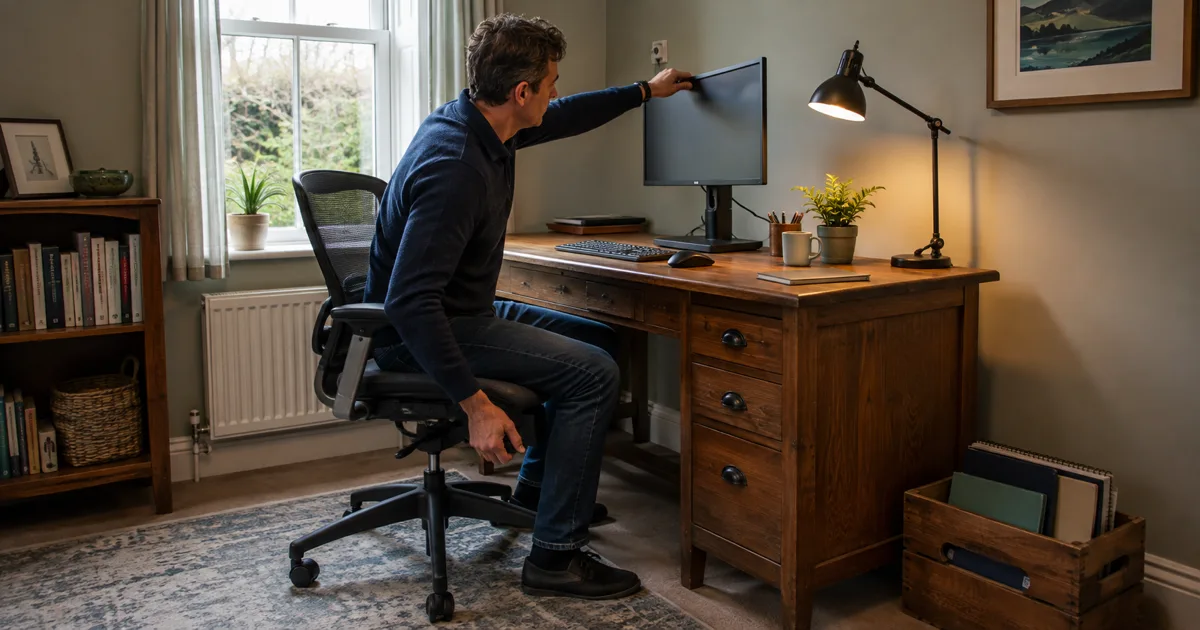
For regular computer work, the chair deserves more attention than matching colours. Look for a stable five-point base, smooth castors suited to the floor, adjustable seat height and a backrest that supports a comfortable position. Adjustments should lock securely and remain in place when occupied. Sit in the chair long enough to check pressure points, seat depth and whether your feet can rest firmly on the floor or an appropriate footrest.
Inspect the underside with the seller’s permission. Look for cracks, missing fasteners, oil leaks around a gas lift, bent mechanisms and improvised repairs. Test every lever and the full height range. Check fabric, foam, arm pads and seams, and decline chairs with persistent damp, contamination or suspected pests. Replacement upholstery may be worthwhile; a damaged structural or adjustment mechanism may not be.
Choose a desk that supports a neutral setup
A desk should be stable, deep enough for the screen distance you need and wide enough for input devices without forcing the shoulders inward. Make sure there is clear knee and leg space; a beautiful desk with drawers across the centre can be uncomfortable for long sessions. Check whether the chair’s arms fit under the top and whether crossbars or pedestals restrict movement.
Press gently at each corner, inspect joints and look underneath for splits, swollen board, loose braces or rough modifications. Confirm that drawers open without striking your knees. If the desk dismantles, ask for instructions and inspect the fixings. A heavy solid desk can be good value, but transport and stairs belong in the price calculation.
Position the screen, keyboard and laptop
Arrange the screen directly in front of the main sitting position and adjust it to a comfortable height rather than copying somebody else’s measurement. Keep the keyboard and mouse where the arms can work without reaching, with space to change posture. The Health and Safety Authority advises that a laptop should not be used directly for prolonged work; a separate monitor and keyboard allow a more suitable workstation arrangement.
Used monitor arms and stands can help, but verify their load rating, mounting pattern, desk-clamp range and included fasteners. Inspect cast-metal joints and clamps for cracks or stripped threads. Never balance a screen on an improvised stack that can slide. If equipment belongs to an employer, check their policy before replacing, mounting or modifying it.
Control daylight, glare and task lighting
Place the workstation so windows do not create persistent reflection on the display or harsh contrast directly behind it. Curtains or blinds can make changing daylight manageable. A second-hand task lamp should illuminate documents without shining into the eyes or screen. Inspect its plug, cable, switch, shade and stability; do not use electrical items with scorching, exposed conductors, taped cable repairs or loose fittings.
Add storage only after the workstation works
A compact bookcase, filing cabinet or drawer unit can keep the desk clear, but storage should not reduce legroom or create a trip hazard. Test drawers and locks, inspect load-bearing shelves and check tall furniture for movement. Secure tall or top-heavy units appropriately to the wall construction, particularly where children may enter. Keep confidential papers and work devices in storage that suits the employer’s security requirements.
Buy electrical accessories cautiously
Furniture is usually easier to assess than used chargers, extension leads and powered accessories. Confirm the exact manufacturer and model, check for applicable recalls and inspect the entire cable and plug. Avoid counterfeit-looking products, missing safety information and anything the seller cannot demonstrate safely. Do not daisy-chain extension leads or overload sockets; use a qualified electrician for changes to fixed wiring.
Build the office in the right order
A practical buying sequence
- Set the total budget, room measurements and essential work requirements.
- Choose and test the chair for the primary user.
- Find a stable desk that fits the chair, equipment and access route.
- Arrange screen, keyboard, mouse and lighting, then reassess comfort.
- Add only the storage and accessories that solve a demonstrated problem.
- Review the complete setup after several working days and adjust it.
Inspect adverts and sellers
Ask for photographs of the actual item from several angles, including mechanisms, labels, damage and the underside. Request dimensions, age, repair history and every included part. Keep answers in direct messages. A business selling second-hand goods in Ireland remains subject to consumer-law requirements, allowing for disclosed wear; a private sale does not carry the same protections. Ask which type of seller you are dealing with before paying.
Calculate the complete cost
Compare like with like: dimensions, adjustability, material, condition and included components. Add fuel, tolls, van hire, stairs, replacement castors, cleaning and missing fittings. A free executive desk that requires professional movers can exceed the cost of a smaller local option. Spend first on fit, stability and adjustability; matching finishes can wait.
Collect and assemble safely
Confirm parking, floor level and lifting help before collection. Photograph furniture before dismantling, label parts and bag fixings by stage. Use blankets, straps and a suitable vehicle, keeping the driver’s view unobstructed and every load secured. Do not lift large desks, cabinets or glass tops without enough capable people. Follow manufacturer instructions where available and stop if a damaged part makes reassembly uncertain.
Review comfort instead of chasing one perfect posture
No chair or desk removes the need to change position. The HSA recommends organising screen work so it is interrupted by breaks or changes in activity and notes that short, frequent breaks are preferable to occasional long ones. Move before fatigue builds, vary tasks and reassess the setup if discomfort persists. Employees should also follow their employer’s workstation assessment and equipment process for remote work.
Final second-hand home-office checklist
- The desk, chair and storage fit both the room and access route.
- The chair base, lift, backrest and controls operate securely.
- The desk is stable with enough work surface and clear leg space.
- Screen, keyboard, mouse and lighting can be positioned comfortably.
- Electrical accessories have intact cables, plugs and credible safety information.
- Furniture faults, included parts, price and collection are confirmed in messages.
- The transport plan protects people, property and every component.
- The finished workstation can be adjusted and supports regular movement.
A strong second-hand home office is assembled deliberately rather than bought as one matching set. Start with the person and the work, select structurally sound furniture that fits, and improve the arrangement after real use. That approach produces a more comfortable office while keeping useful desks, chairs and storage in circulation.
Tags
More from
New related stories are added frequently.