
By Local Ads Editorial Team · Irish Marketplace Guides
Buying a Used Gaming Console in Ireland: PS5, Xbox and Switch Checklist
Check model, account locks, controllers, storage, ports, overheating and included accessories before buying a second-hand games console.
Published 7 August 2026 · Reviewed 20 August 2026 · 11 min read
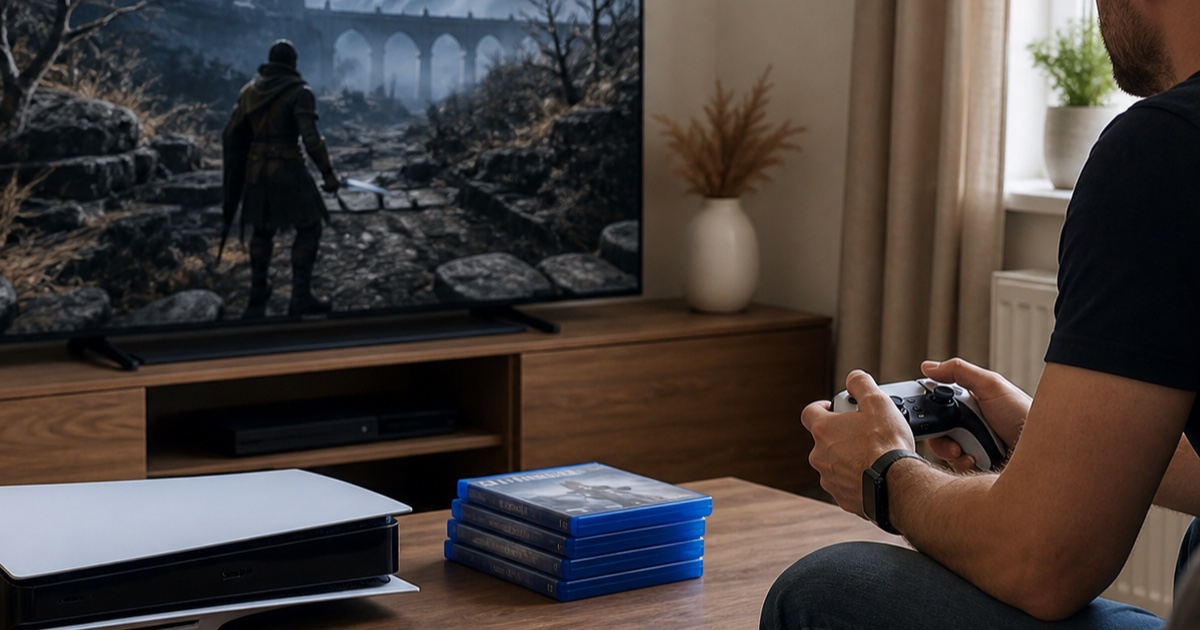
A console can appear perfect while hiding overheating, damaged ports, controller drift, account restrictions or a disc drive that is never tested. Identify the exact generation, storage and disc or digital version before comparing prices. Digital games normally belong to the seller's account and should not be valued as transferable unless the platform's current terms explicitly permit it. Keep account credentials out of the deal and expect the console to be properly reset only after you have seen it operate.
Identify the exact hardware
Console families contain revisions with different storage, drives, screens, docks and accessories. Ask for the model number and a current photograph of the system-information screen without account or serial data being exposed publicly. Confirm whether internal storage has been expanded and whether that part is included. Compare against the correct new and used version, not the most expensive member of the same family.
Version details
- Console generation, revision and storage capacity.
- Disc, digital, handheld or docked version.
- Original controller, power supply, dock, stand and cables included.
- Added storage model and installation status.
- Purchase date, receipt and remaining transferable warranty if any.
Inspect enclosure, ports and cooling
Look for impact cracks, stripped screws, damaged seals, bent HDMI or USB ports and evidence of liquid entry. Heavy dust at vents can indicate poor cooling, while strong fragrance may mask smoke exposure. Power the console from cold and listen as it loads a demanding game. Fans vary by model, but repeated shutdown, error messages, severe heat or grinding noise require investigation. Do not open the system during a casual viewing.
Physical warning signs
- Loose ports, intermittent display or cable needing a particular angle.
- Cracked shell, missing feet or signs of an undocumented repair.
- Disc drive scraping, failing to read or ejecting unpredictably.
- Overheating warning, shutdown or unusually loud fan under load.
- Serial label removed or inconsistent with available proof of purchase.
Test controllers and network functions
Open a controller test or suitable game and check every stick, trigger, button, motion sensor and wireless connection. Stick drift may appear only near the centre position. Test charging ports and battery condition. Connect to an ordinary network if safe and permitted to confirm the console can reach its service and is not obviously restricted, while respecting the seller's privacy. Never ask to retain the seller's account or stored payment methods.
Controller and system test
- Analogue sticks return to centre without movement or dead zones.
- Triggers, bumpers, directional pad and face buttons register consistently.
- Controller pairs wirelessly and charges through the expected port.
- Wi-Fi, Bluetooth, HDMI, USB and audio functions work where applicable.
- A game runs long enough to reveal load-related faults.
Separate physical value from digital promises
Value the console, physical games and accessories you can legally receive. Treat installed digital titles, subscription time, downloadable bonuses and shared accounts as unavailable unless official transfer rules clearly say otherwise. Account trading can breach platform terms and expose both parties to recovery disputes or payment data. The seller should remove the console from their account relationships, sign out and factory-reset it after the demonstration and before handover.
Safe account handover
- Seller backs up wanted saves and removes personal payment information.
- Console is deactivated from account-sharing roles where required.
- Buyer never receives the seller's email password or recovery codes.
- Factory reset completes without an unexpected activation lock.
- Buyer sets up a new or existing personal account after collection.
Check ownership and price the complete bundle
Compare the exact revision and every included accessory. Replacement controllers, docks, power supplies and proprietary storage can materially change value. Ask for ownership history and proof of purchase, particularly when packaging and serial details are absent. Search copied photographs if the listing appears elsewhere. Local Ads can host original photos and a detailed electronics listing, but it does not guarantee ownership, hardware condition or digital account access.
Before paying
- Match serial information to the console and receipt where available.
- List every physical game, controller and cable on the receipt.
- Exclude promised digital libraries from the price calculation.
- Confirm the reset and first-start screen before leaving.
- Use an offline payment method you understand after inspection.
The practical takeaway
Buy the hardware you can inspect, not an account promise. Confirm the exact model, run a meaningful game test, check every controller input and complete a clean reset. Price missing accessories and repair risk before agreeing. A seller who cannot demonstrate normal operation or explain ownership should not be rescued by an unusually low asking price.
Tags
More from Buyer safety
7 min read
Buying and Selling Second-Hand Baby Items in Ireland: A Safety Guide
A careful guide to listing and buying used prams, cots, highchairs, toys and baby equipment in Ireland, with safety-first checks.
 Buyer safety
10 min read
Free Stuff in Ireland: How to Give Away and Collect Items Safely
A practical guide to giving away usable items and arranging free local collections without creating unnecessary safety or privacy risks.
 Buyer safety
10 min read
How to choose a local tradesperson in Ireland
Compare qualifications, references, written quotes, insurance and payment stages before hiring someone for work in your home.