
By LocalAds.ie Editorial Team · Marketplace Help
How to Buy and Sell on LocalAds.ie: A Beginner’s Guide
Learn how to browse, assess, message, collect and sell items on LocalAds.ie with a clear step-by-step guide for first-time Irish users.
Published 6 September 2026 · Reviewed 6 September 2026 · 12 min read
LocalAds.ie is a Republic of Ireland classifieds marketplace for buying, selling, swapping and finding items locally. You can browse public adverts without an account. An account becomes useful when you want to save favourites, create an advert, send a direct message or manage your activity. This guide follows the real site journey from the first search to a completed handover.
Before you begin
You will get better results if you know
- The category and Irish county you want to search or advertise in.
- Your maximum travel distance for inspection or collection.
- The item’s model, size, condition and realistic second-hand value.
- Whether you prefer direct messages, phone contact or another available contact option.
- How the item can be tested, lifted, collected or posted safely.
How to buy on LocalAds.ie
1. Browse by search, category and location
Open Browse and search for a specific item, brand or model. Use the department and category structure to narrow broad results, then apply county, locality, price, condition or listing-type filters where available. Start close to home for bulky goods. If results are limited, widen the county or remove one filter at a time instead of replacing a precise search with a vague word.
Organic listings are separate from clearly labelled promoted areas. A prominent advert is not automatically the best match. Compare the title, description, photographs, seller information, condition, location and total collection or delivery cost before deciding which seller to contact.
2. Read the complete advert
Check that the photographs show the actual item from several angles. Read the description for age, faults, measurements, model number, included accessories and collection details. For furniture, compare every measurement with your room, doorway, stairs and vehicle. For electronics or appliances, ask what was tested and whether the seller can demonstrate it working at collection.
Pause before contacting if
- The asking price is far below comparable items without a credible explanation.
- Photographs appear copied, inconsistent or unrelated to the stated location.
- The description avoids basic questions about ownership, condition or faults.
- The seller demands a deposit before allowing reasonable inspection.
- The advert asks you to pay an unexpected courier or account-release charge.
3. Save and compare suitable adverts
Signed-in users can add adverts to Favourites. Save a few realistic options and compare them on condition, distance and what is included, not price alone. A complete item nearby can cost less overall than a cheaper item that needs missing parts, repair work or a long collection journey.
4. Message the seller clearly
Use the contact method enabled on the listing. A useful first message identifies the item and asks only questions not already answered. For example: confirm that it is still available, ask about one unclear fault, request a measurement and suggest a realistic viewing time. Keep important arrangements in direct messages so both parties can review the agreed price, condition and meeting plan.
5. Inspect, pay and collect
Agree the inspection and collection plan before travelling. Meet in daylight where possible and bring another adult for an expensive or bulky item. Confirm that the item matches the advert, test the relevant functions and inspect disclosed faults. Never rely on a payment screenshot; the recipient should check their own account. Walk away if the location, item or behaviour differs materially from what was agreed.
How to sell on LocalAds.ie
1. Create and confirm your account
Use Sign up to create your account, then follow the confirmation instructions sent to your email address. Choose an honest public display name and keep your password private. Your account area is where you manage listings, messages, favourites, saved searches and profile information. Business and regulated categories can require additional verification before publication.
2. Choose the correct listing type and category
Select Sell and choose what you are publishing. A standard advert offers an item; a Wanted request asks nearby sellers for something you need. Choose the narrowest accurate category from the marketplace taxonomy. The category controls the fields buyers see and helps the advert appear in relevant browsing results, so do not place an item in a popular but inaccurate section.
3. Write a specific title and honest description
Lead with the item type, then add the brand, model, size or defining feature. Avoid strings of unrelated search words. In the description, explain what is included, approximate age, usage, faults, repairs, dimensions, reason for sale and collection requirements. A buyer should be able to decide whether the item is suitable before making a journey.
A simple description order
- One sentence identifying the exact item.
- Condition and every known fault or missing part.
- Measurements, model number and compatibility where relevant.
- Included accessories, manuals, packaging or spare parts.
- Collection locality, access restrictions and any delivery option.
4. Set the price in euro
Compare recently advertised items of the same model, age and condition in Ireland. Do not compare a private used item with a professionally refurbished product unless you account for the difference in testing and business terms. Choose a fixed price, a negotiable price, free collection or contact-for-price option only where the form and category permit it. Leave a small negotiating margin only if you are genuinely willing to accept offers.
5. Add clear photographs
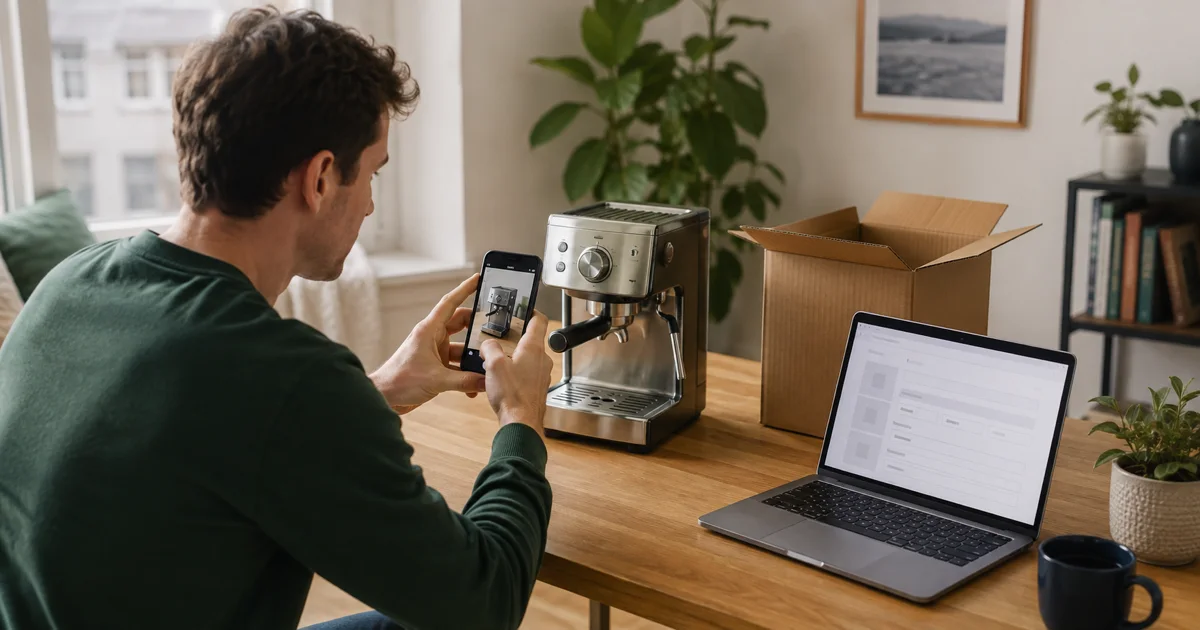
LocalAds.ie requires at least one genuine photograph for public item adverts and allows up to eight. Clean the item, use daylight and photograph the front, back, sides, labels, accessories and faults. The site prepares uploaded photographs and removes embedded camera and location metadata, but you should still keep house numbers, documents, faces and other personal details out of the frame.
6. Add location and contact preferences
Choose the correct county and a useful locality without putting an exact home address in the advert. Select the contact channels you are comfortable monitoring. Direct messages are a practical default because they preserve context and do not require publishing an email address. If you enable phone contact, confirm collection details before disclosing any additional private information.
7. Confirm that you are authorised to publish
Before publication, confirm that you own the item or have valid authority to advertise it. Do not copy another person’s advert, photographs or contact details. Jobs, regulated services and other specialist categories can require declarations or verification in addition to the ordinary listing details.
8. Respond, update and close the advert
Answer serious questions promptly and consistently. Do not claim an item is reserved until you have actually agreed that with a buyer. If availability, price or condition changes, update the advert. When the item is sold or no longer available, close it so other people do not waste time contacting you. Ads have no automatic expiry date and do not require periodic availability confirmation.
A first transaction checklist
- Use the correct category, county and listing type.
- Describe the actual item and disclose faults.
- Use original photographs without private details in the background.
- Keep important agreements in direct messages.
- Inspect before paying and verify funds in the receiving account.
- Use a safe daylight collection plan and bring help for bulky goods.
- Close the advert promptly after the transaction.
Tags
More from Seller guides
5 min read
LocalAds.ie vs ClassifiedAds.ie: Two Ways to Buy and Sell in Ireland
Explore two Irish classifieds websites, their public browsing options and the practical questions to ask when choosing where to advertise or find your next local purchase.
4 min read
How to Sell a Used Coffee Machine in Ireland
Prepare a coffee machine for a local sale with the exact model, an honest maintenance record, useful photographs and a clearly defined accessory bundle.
5 min read
How to Sell a Digital Piano or Keyboard in Ireland
Document the keys, pedals, power supply and stand, explain the checks you performed, and give buyers the measurements they need for collection.